
Airmeet review: a SaaS founder's honest verdict after running cross-timezone webinars
By Harshal Katre ·
Built for B2B teams that want their virtual events to feel like actual events, not conference calls with a chat sidebar. If all you need is a basic webinar with screen share, you are overpaying.
My notes, before you scroll
- Pricing
- $167/month billed annually · Per-organisation subscription, tiered by attendees and events
- Best for
- SaaS founders running customer webinars, product demos and virtual summits weekly, who care about video quality and attendee engagement.
- Not for
- Solo founders running occasional webinars who just need a screen share and a Q&A panel.
- Last tested
- — in a live business, not a trial account.
What I'd tell a friend about Airmeet
- Three time zones, three sets of internet infrastructure, one platform holding it all together for ninety minutes. Nobody dropped.
- The video looked sharper than anything I had pulled off on Zoom in five years.
- The networking lounge lets attendees self-select into conversations without the organiser doing anything, which Zoom breakout rooms cannot do.
- The interface does not adapt to your use case — webinar-only users see the same complex dashboard as virtual summit organisers.
- If you are only using the webinar stage, you are paying for a conference hall and using one room.
In this review
I ran a ProfitBooks webinar last quarter with accounting experts calling in from London, Sydney, and Chicago. Three time zones, three sets of internet infrastructure, one platform holding it all together. The session ran for ninety minutes. Nobody dropped. The video looked sharper than anything I had pulled off on Zoom in five years. That single event is why I kept paying for Airmeet, and also why the cost still bothers me.
The quick verdict: Airmeet is built for B2B teams that want their virtual events to feel like actual events, not conference calls with a chat sidebar. If you run product demos, customer webinars, or virtual summits and you care about attendee engagement and networking, it is worth the premium. If all you need is a basic webinar with screen share, you are overpaying.
How I evaluated Airmeet
I used Airmeet on a paid plan for over 30 days, running live webinars and product walkthrough demos for ProfitBooks users. My evaluation weighted five areas: ease of use (30%), core event features (25%), reliability and video quality (20%), pricing and value (15%), and support responsiveness (10%). I cross-referenced my own experience against Capterra and GetApp aggregate reviews, plus practitioner commentary on third-party review sites. The audience I had in mind throughout: SaaS founders and small B2B teams choosing between Airmeet and simpler tools like Zoom Events or Hopin.
Scorecard
| Area | Score (1 to 10) | Why |
|---|---|---|
| Setup and onboarding | 6 | Capterra reviewers rate ease of use at 4.2 out of 5, which sounds decent until you realise the learning curve hits hardest when you configure your first full event. I spent roughly forty minutes on my first webinar setup, longer than Zoom would have taken. |
| Core workflow | 8 | The networking lounge, expo booths, breakout tables, and attendee engagement tools (Q&A, reactions, live chat) are genuinely strong. Third-party reviewers on GetApp describe the platform as “feature-rich for event experiences.” My cross-timezone webinar confirmed this. |
| Integrations and data portability | 6 | Registration funnels and attendee management work, and event analytics exist, but the provided review sources do not surface a standout integration ecosystem. No strong community consensus on a unique reporting pain point, either. Adequate, not remarkable. |
| Pricing and value | 5 | Airmeet’s own pricing page puts Premium Webinars at $167 per month billed annually, about $2,004 a year, with everything above it quoted by sales. For a startup running four webinars a month, that is steep compared to a Zoom Pro licence. Capterra and GetApp reviewers rate value at about 4.2 out of 5, but that score comes from users leaning on the engagement features. Basic webinar users will feel the pinch. |
| Support and documentation | 7 | Review aggregates on Capterra and GetApp rate support positively. My own experience matches: I raised a ticket about attendee access before a live session and got a useful reply within the hour. For live-event software, that speed matters. |
| Reliability and performance | 8 | Video quality was noticeably better than Zoom on my calls. Three presenters across England, Australia, and the USA held stable connections for ninety minutes. No dropped frames, no audio sync issues. This is where Airmeet earns its premium. |
Feature checklist
| Feature | Available? | Notes and limits |
|---|---|---|
| Webinar hosting | Yes | Full registration flow, live session delivery, audience interaction in one place |
| Networking lounge | Yes | Peer-to-peer interaction without organiser intervention; strong differentiator |
| Breakout rooms and tables | Yes | Session segmentation for smaller groups during larger events |
| Expo booths | Yes | Sponsor and vendor discovery; useful for virtual summits |
| Hybrid event support | Yes | Concept is solid; operational complexity increases for hybrid setups |
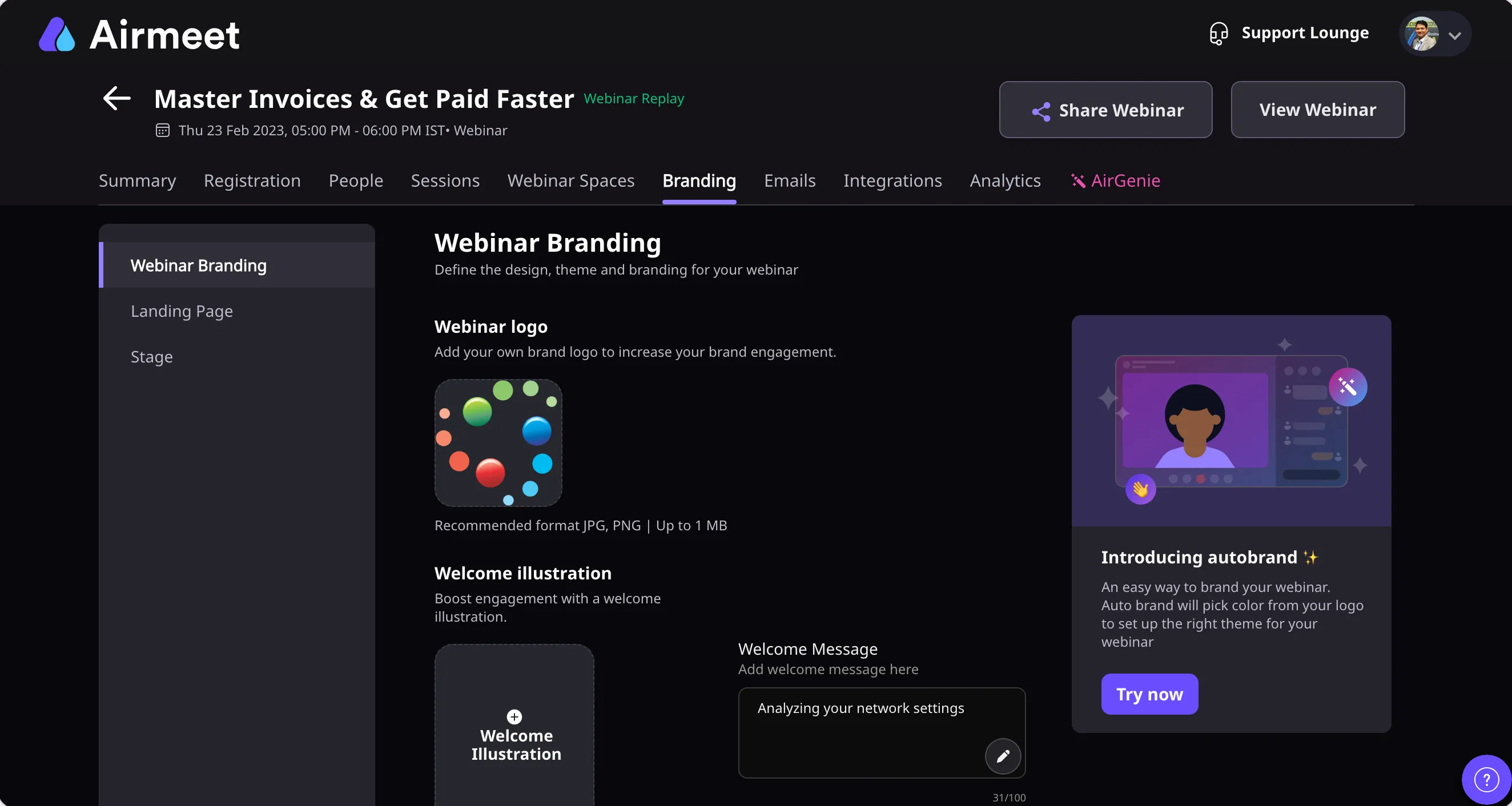
| Event branding and customisation | Yes | Easy to customise event page, logo, colours. I set up a ProfitBooks-branded page in under fifteen minutes |
| Attendee management | Yes | Registration, attendee lists, and access controls work without friction |
| Q&A, chat, and reactions | Yes | Live engagement tools are visible and functional during sessions |
| Event analytics and reporting | Yes | Standard reporting exists; no strong community signal on unique depth or gaps |
| Recording and replay | Yes | Sessions can be recorded; replay access configurable per event |
| SSO and access controls | Partial | Available on higher tiers based on pricing structure signals; not fully documented in public reviews |
| Free trial | Yes | Offered on Airmeet’s own pricing page |
The forensic feature audit
Video quality and reliability
This is the reason I stayed. During my ProfitBooks webinar with accounting experts across three continents, the video was crisp enough that I could read the expressions on a panellist’s face when she disagreed with a tax ruling. On Zoom, those calls had always looked slightly washed out, with that familiar compression haze. Airmeet’s stream felt closer to a produced broadcast.
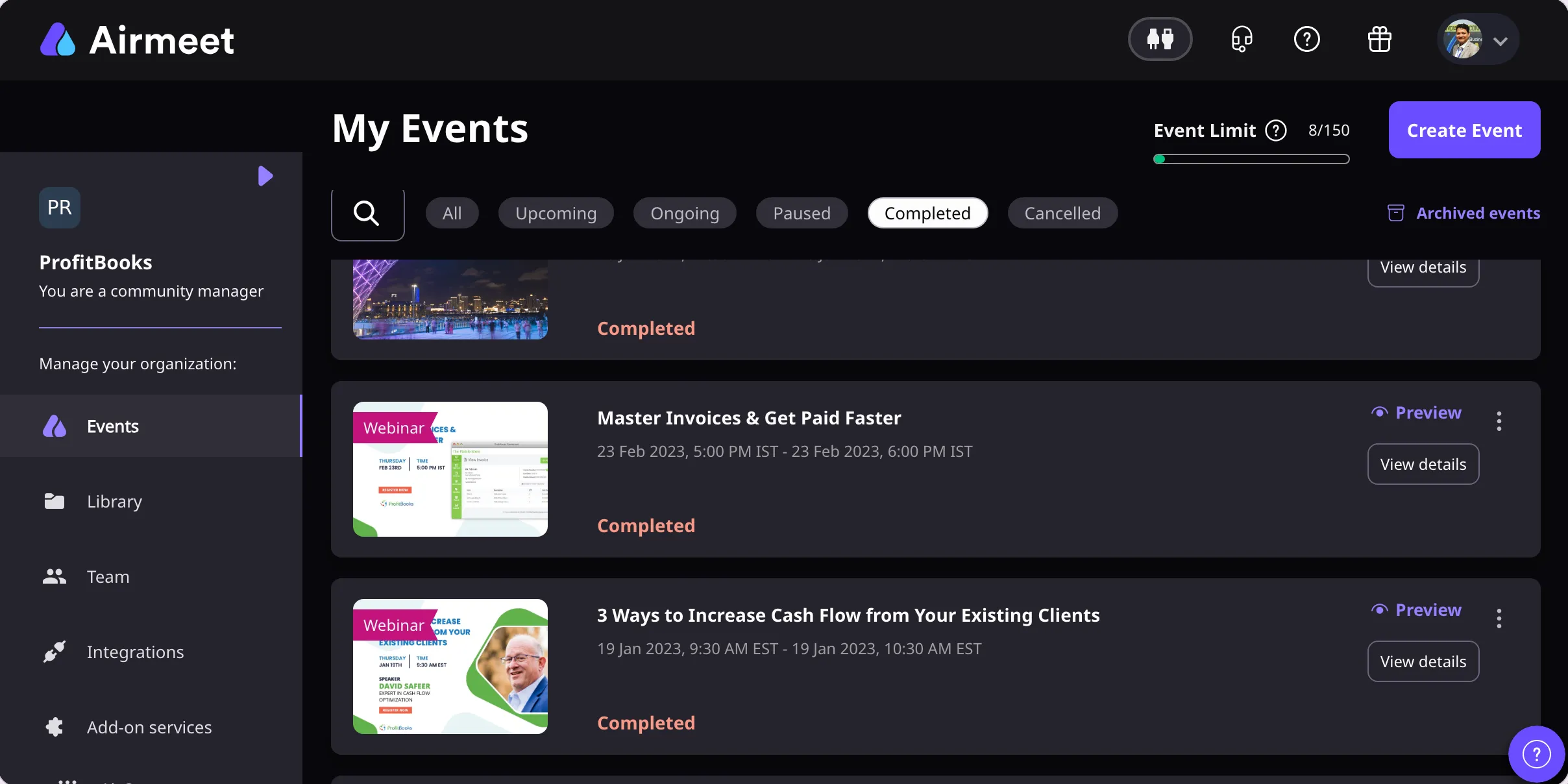
The dashboard stays on a neutral loading state until the event session is fully initialised. Once live, the stage view snaps into place and the engagement sidebar (chat, Q&A, reactions) populates on the right. There is a tactile confidence in seeing the green “Live” indicator appear. You know it is working.
One friction point I noticed: if a presenter joins late from a high-latency connection, their tile can take ten to fifteen seconds longer to render than other panellists. I have not found a documented community fix for this, but toggling the presenter’s camera off and back on resolved it in my case. Not ideal during a live session with 200 attendees watching.
A quick scenario: you are running a product demo for enterprise prospects. Your co-founder is presenting from Bangalore, your sales lead from Berlin. The video holds. The chat lights up. You look professional. That is the Airmeet promise, and it delivered for me.
Networking and engagement tools
No other webinar tool I have used lets attendees drift into a networking lounge mid-event without the organiser doing anything. Zoom’s breakout rooms require manual assignment or pre-configuration. Airmeet’s networking tables let people self-select into conversations. For a SaaS founder running a customer community event or a partner summit, this is the feature that justifies the platform.
The lounge area renders as a visual grid of tables. Attendees see open seats and join. The interaction feels spatial in a way that a flat chat window does not.
Where it stumbles: first-time attendees sometimes do not realise the networking area exists. The navigation between the main stage and the lounge is not always obvious, especially on smaller screens. I watched three attendees in my ProfitBooks user event stay on the main stage the entire time, missing the networking session entirely. A clearer visual prompt or a timed nudge would fix this.
Scenario: you are hosting a virtual summit with 500 registrants. Between sessions, 80 of them wander into the networking lounge. Two of them become your next pilot customers. That is the downstream value Airmeet is designed to create.
Event setup and branding
Customising the event page for ProfitBooks took me about fifteen minutes. Upload logo, set brand colours, write the description, configure the registration form. The flow is linear and mostly intuitive.
But here is my core complaint, and it is the same one I have carried since my second month on the platform. The interface does not adapt to your use case. If I am running a simple thirty-minute product walkthrough for existing customers, I still see the full event configuration panel: expo booths, sponsor tiers, networking settings, session tracks. All of that is irrelevant for a quick demo. I end up scrolling past options I will never use.
Airmeet should offer a simplified mode for webinar-only users. The current UI assumes every organiser is building a multi-session virtual conference. That assumption costs time and creates cognitive overhead for founders who just need to go live with a screen share and a Q&A panel.
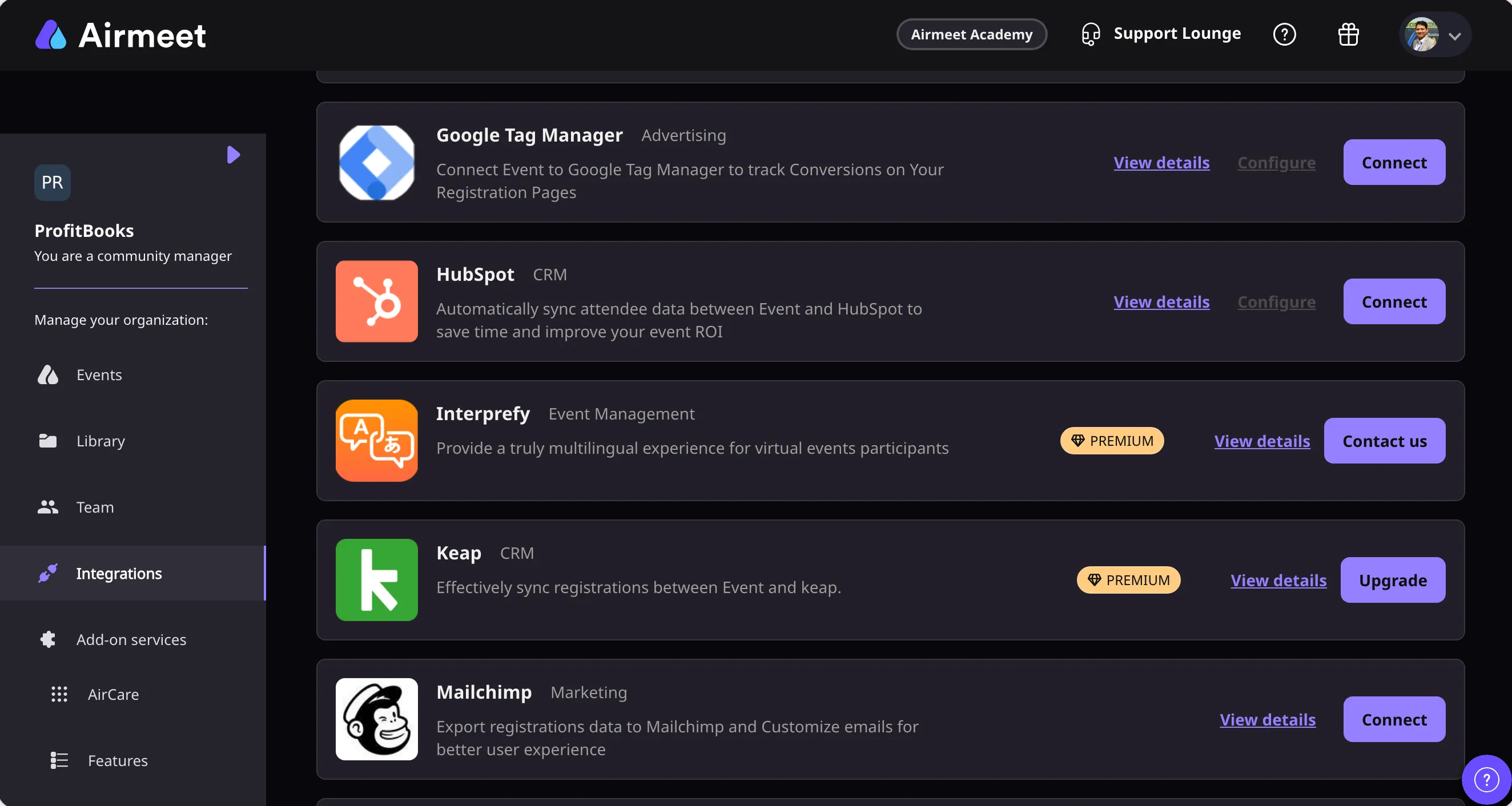
The progress indicator during setup moves through stages (event details, sessions, speakers, branding, registration), and each stage saves independently. That is useful. But the speaker invitation flow, where you add presenters by email and assign roles, could use a bulk-upload option for events with more than four speakers.
The interface problem, stated plainly
I think the user interface is Airmeet’s biggest weakness. The platform is powerful, but it does not respect the difference between a user hosting a weekly product demo and a user producing a two-day virtual summit. Both get the same dashboard, the same settings panels, the same level of complexity. Capterra’s 4.2 out of 5 ease-of-use rating reflects this: good enough to work, not good enough to feel effortless.
For context, when I ran ProfitBooks application walkthroughs, I wanted a clean stage, a screen share, and a Q&A. I got all of that, plus a dozen features I had to actively ignore. The tool worked better than Zoom for the demo itself (smoother video, better attendee view), but getting to that point required more clicks than it should.
The true cost
Airmeet publishes one price and quotes the rest. Premium Webinars is $167 per month billed annually, or $199 month to month, which puts the real entry point at about $2,004 a year. That covers two team members, up to 150 events in a year, and 100 attendees per webinar scaling to 10,000. The Events plan raises those to five team members and 250 events, but it is a sales quote rather than a published number, as is the Agency plan. Managed Events, where Airmeet staff run the thing for you, starts around $4,999 per event. There is a free trial. Pricing checked 11 August 2026, and the aggregator sites are worth ignoring here — the three I looked at listed three different entry prices, and none of them matched Airmeet’s own page.
The subscription is the smaller half of what it costs. My first full event configuration took about forty minutes, and a shorter version of that overhead returns every time I set one up, because the dashboard presents the whole conference toolkit whether or not I am running a conference. The 150-event allowance has never been my constraint; the capacity I do not touch is the expensive part. The honest way to read the price is per event actually run rather than per year. At one webinar a month that is roughly $167 an event, which is a great deal of money for a screen share and a Q&A panel, and quite reasonable for a branded event with a working networking lounge behind it.
The cost is on the higher side. I will say it directly. If you are a solo founder running two webinars a month, $2,004 a year is hard to justify when Zoom Pro costs a fraction of that. Airmeet earns its price when you use the networking lounge, the expo booths, the branded event experience, and the engagement tools regularly. If you are only using the webinar stage, you are paying for a conference hall and using one room.
The value verdict for SaaS founders: premium, but only effortless if your event format matches the platform’s strengths. For basic webinars, it is high maintenance relative to cost.
Building your SaaS event stack? If you are comparing platforms and want practitioner-led breakdowns (not vendor marketing), SaasyTake publishes reviews from founders who pay full price and test for 30 days before rating.
Quick picks: who should (and should not) buy Airmeet
| Segment | Verdict |
|---|---|
| SaaS founders running customer webinars and product demos | Worth it if you run events weekly and care about video quality and engagement. The networking features pay for themselves at scale. |
| Startups hosting virtual summits or partner events | Strong fit. Expo booths, breakout tables, and branded event pages are built for this. |
| Solo founders running occasional webinars | Overpaying. A simpler tool like Zoom Events or Google Meet will cover the basics at a fraction of the cost. |
| Teams needing hybrid event support | Capable in concept, but expect higher operational complexity. Test thoroughly before committing. |
The anti-persona: if you just need a video call with screen share and do not care about attendee networking or event branding, Airmeet adds complexity and cost you will not use. Pick a lighter tool.
If you are evaluating Airmeet, start with the simplest event you need to run. Set it up, run it live with five attendees, and see how many features you actually touch. That will tell you whether the platform fits your workflow or whether you are paying for a conference hall to host a coffee chat. Your next step is deciding what your minimum viable event looks like, and choosing the tool that matches that scope without surplus.

Hands-on with Airmeet
I used Airmeet on a paid plan for over 30 days, running live webinars and product walkthrough demos for ProfitBooks users, including a ninety-minute session with presenters in London, Sydney and Chicago.
I have built and run more than five SaaS businesses, among them ProfitBooks, LevelUp, LedgerNext, HelpGuides and ButterBlogs. That means I choose software as an operator rather than as a reviewer, and I live with every bad decision myself. I write these up because the work was already done. Each tool here was picked slowly and then used for months on the real thing — customer invoices, live support queues, production monitoring — and it seemed more useful to publish what that taught me than to leave it in my own notes.
This review was last verified against the live product on 10 Aug 2026. No vendor reviewed it before publication. The full method · Send a correction
What else I looked at instead of Airmeet
Zoom Events
Not tested yet
On the list. No rating until it has run a real workload.
Hopin
Not tested yet
On the list. No rating until it has run a real workload.
Livestorm
Not tested yet
On the list. No rating until it has run a real workload.
Questions people actually ask me
- Is Airmeet worth it for small SaaS teams?
- It depends on event frequency and format. If you run weekly webinars with engagement features like Q&A, networking, and branded registration pages, Airmeet's quality and toolset justify the cost. For teams hosting one or two basic calls a month, the entry price of $167 per month billed annually is steep relative to simpler alternatives.
- How does Airmeet video quality compare to Zoom?
- Noticeably better in my experience. Running a ProfitBooks webinar with presenters in England, Australia, and the USA, the video was sharper and more stable than comparable Zoom sessions I had run previously.
- Can Airmeet handle events across multiple time zones?
- Yes. I ran a session with three speakers across three continents and had zero timezone-related technical issues. The platform handled the connections without dropped frames or sync problems.
- Does Airmeet offer a free trial?
- Yes. Airmeet's pricing page offers a free trial. I would confirm the current terms there directly, as they can change between billing cycles.
- What is the biggest drawback of Airmeet?
- The interface does not adapt to your use case. Webinar-only users see the same complex dashboard as virtual summit organisers. Capterra reviewers rate ease of use at 4.2 out of 5, reflecting a platform that works but demands more clicks than necessary for simple events.
- Is Airmeet good for product demos?
- I used it for ProfitBooks application walkthroughs and it worked better than Zoom for that purpose. The attendee view is cleaner, the video is sharper, and the Q&A panel is more accessible during a live demo. The setup overhead is the tradeoff.
Tested on the per-organisation subscription, tiered by attendees and eventsplan from $167/month billed annually, last checked 10 Aug 2026. Found something out of date? Tell me and I will re-test.